
The button on your own site
One snippet of code, or a link if your site does not allow code. The instructions are on a separate page you can forward.
Go to the installation instructionsBook a table at our demo restaurant, the way your guests would. It happens in a sandbox: nothing is booked and nothing is sent. Then you see how the restaurant sees the evening.
This is the booking widget your guests see, with our demo restaurant’s diary. Pick a day and a time and fill in the details; made-up details are fine. We store nothing and send no email or text message.
Sandbox: nothing is booked
Or tap the button in the corner, the way a guest would.
No credit card · The trial ends by itself
Real Servetta screens with demo data. All guests, phone numbers and email addresses are made up.
Your demo booking from step 1 is not in here, because it was never stored anywhere.
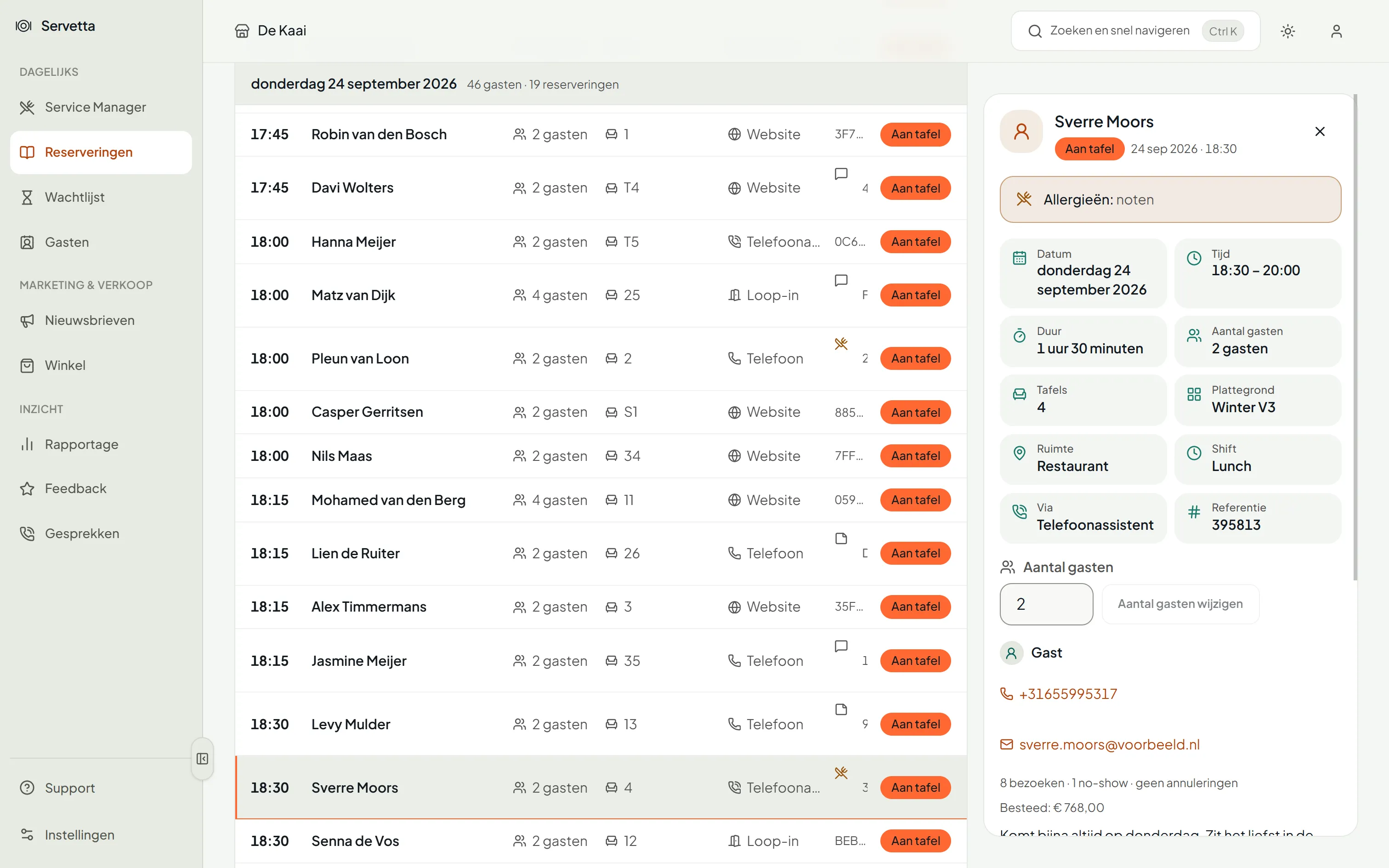
The kitchen already knows
The allergy is there before you open the booking.
A Thursday evening at our demo restaurant, from 17:00 to closing. Drag the time forward and watch what happens to the waiting list, the timeline and table 7.
Simulated evening, no real guests
17:00
Thursday evening
0
covers seated
13
tables free
0
on the waiting list
Before service
The room is set. The first sitting starts at half past five.
One snippet of code, or a link if your site does not allow code. The instructions are on a separate page you can forward.
Go to the installation instructionsYou set up your room with a step-by-step guide: first your floor plan, then your shifts. Switching from another system? Then we help you personally.
No credit card · The trial ends by itself
€49 a month excl. VAT
30 days free